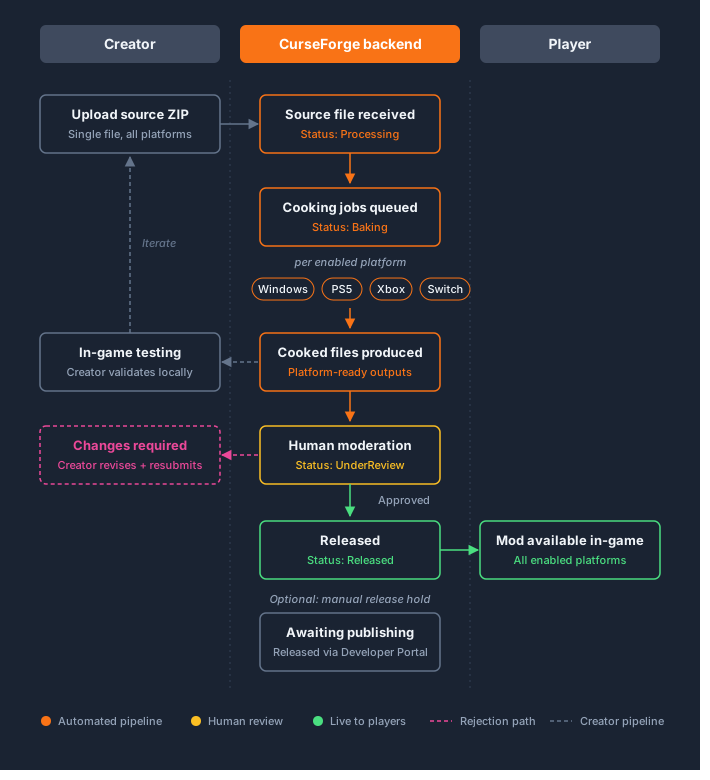
How it works
Cloud Cooking is a joint effort between your studio and CurseForge: your team owns the engine-side tooling, CurseForge owns the server-side pipeline that runs it at scale. Your studio sends CurseForge the game's cooker build. CurseForge deploys it server-side and runs it against every mod uploaded to your game, across all enabled platforms, without any action required from mod creators.
Setting up your cloud cooker
- Build and send your game's cooker to the CurseForge team for server-side deployment. Repeat this each time you update your engine and want a new cooker version active.
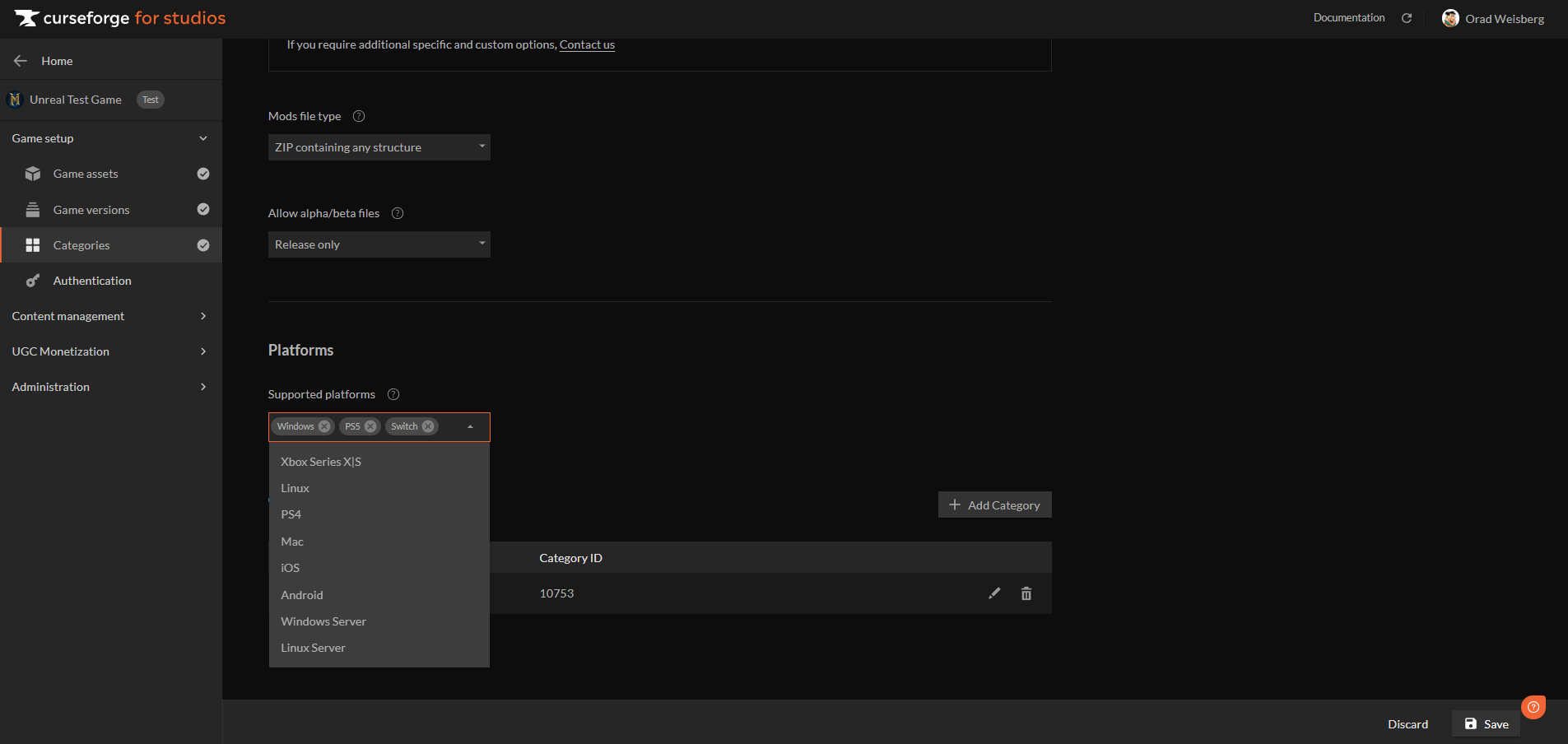
- Configure your target platforms in the Developer Console under the "Categories" section.
The cooking pipeline
The pipeline from creator submission to player download: