Overview
CurseForge for Studios supports two authentication methods. Silent authentication signs players in using their existing platform identity (Steam, PlayStation Network, Xbox Live, Epic Games, or GOG Galaxy). Email OTP authentication is used on platforms without a supported silent provider, and for out-of-game integrations such as mod authors connecting their CurseForge account to the Creation Kit to upload mods directly from the editor.
Silent authentication is the recommended path for most studio integrations.
Key benefits for silent authentication
- Frictionless player onboarding — Players authenticate automatically using their existing platform identity. No extra accounts, no extra steps.
- Community trust features — Ratings and reports are tied to authenticated identities, reducing abuse and improving moderation signal quality.
- Premium mod access — Purchases, Try Before You Buy trials, and entitlement validation all depend on an authenticated session.
Supported authentication types
| Authentication type | Providers | Silent authentication |
|---|---|---|
| Platform | Steam, Epic, PlayStation, Xbox, Nintendo, GoG | Supported |
| Custom | Your studio's managed identity provider | Supported |
| None | Not supported |
For SSO providers not listed above, contact the CurseForge for Studios team at cfforstudios@overwolf.com. Additional integrations are supported on request.
Setting up authentication
Each authentication provider must be individually enabled in the Authentication section of the Developer Portal at console.curseforge.com before any auth flow will work in production. Depending on the provider, this requires registering a platform-specific credential (Steam App ID, GOG Encrypted App Ticket Key) or selecting the target environment (PSN sandbox). See the provider-specific sections below for the specific requirement per provider.
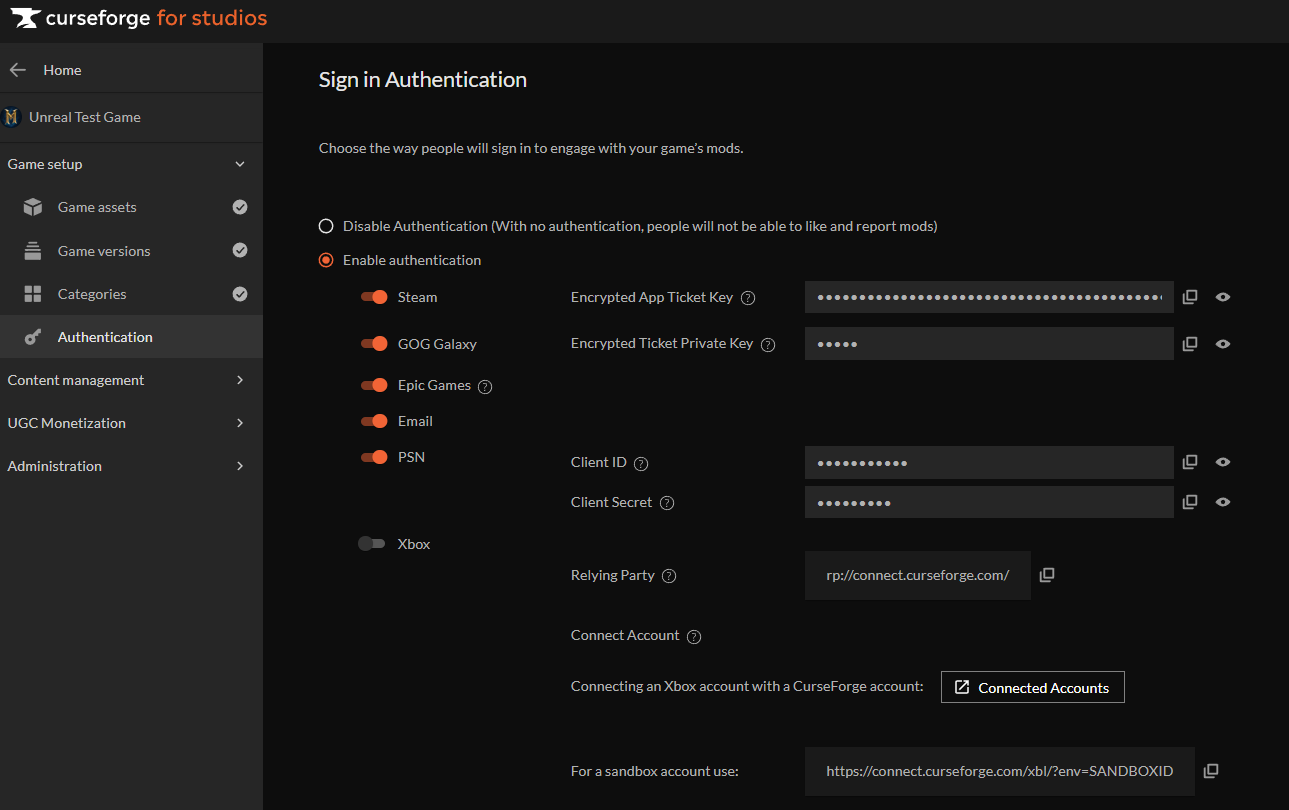
Once a provider is configured and the SDK is initialized, CurseForge for Studios manages the full authentication lifecycle. This includes creating an anonymous CurseForge account tied to the player's platform identity on first sign-in, persisting the auth token locally between sessions, and re-validating it automatically on every Initialize call. In most sessions, a returning player is already authenticated before your first game frame runs.
All authentication flows share the same SDK entry points. Platform auth uses a single call: GenerateAuthTokenByExternalProvider. Email auth uses a two-step sequence: SendSecurityCode followed by GenerateAuthToken.
The SDK persists auth tokens locally and re-validates them automatically on every Initialize call. In most sessions, a returning player will already be authenticated by the time your game's loading sequence completes.